
Using File Manager
Using SSH
Using Cron Jobs
Using File Manager
This option is usually used if you need to change the permissions for a couple of files only. If you need to make changes to a large number of files, SSH and Cron Jobs are preferable.
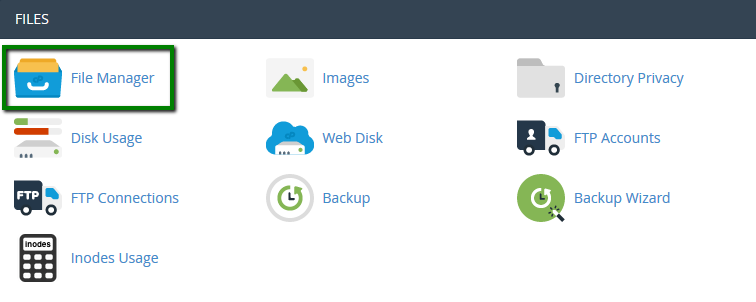
2. Move the document root for your domain name. We have public_html folder in our case: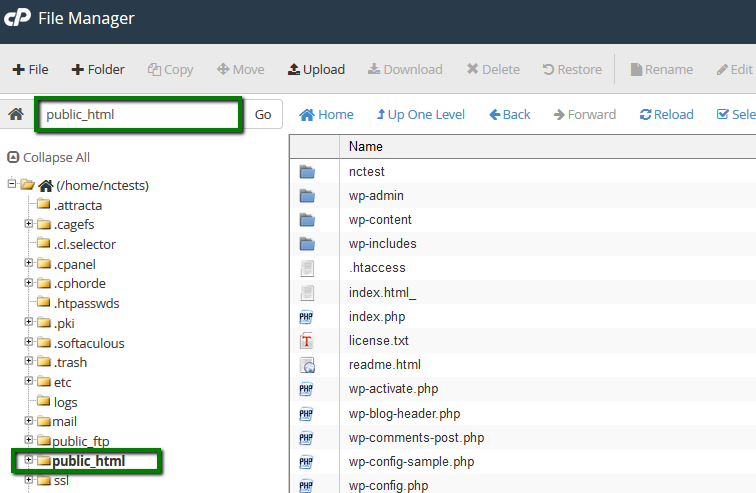
3. You will be able to see the current permissions in the right-hand column called Permissions: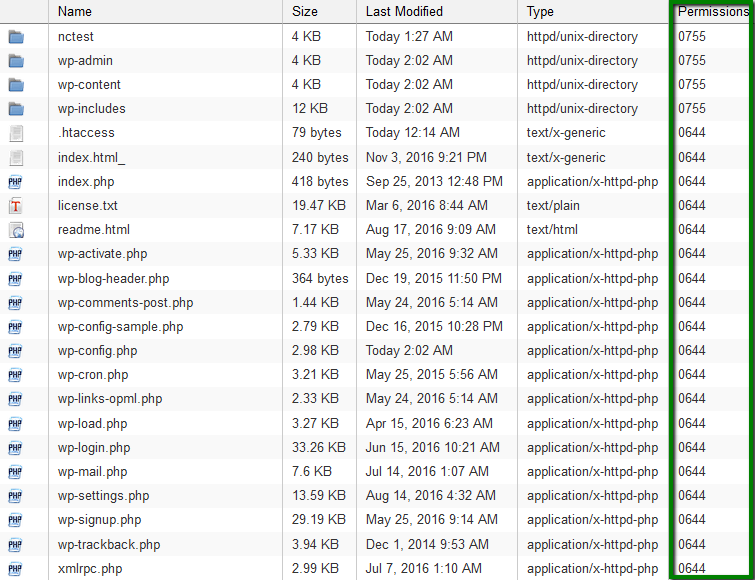
4. To make the changes to a certain file/folder, right-click on it and choose Change Permissions. This window will pop up: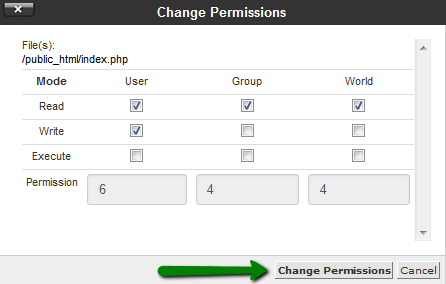
5. Set required permissions for each user group and save the changes. It is also possible to use the same button in the File Manager upper-bar menu, Permissions option: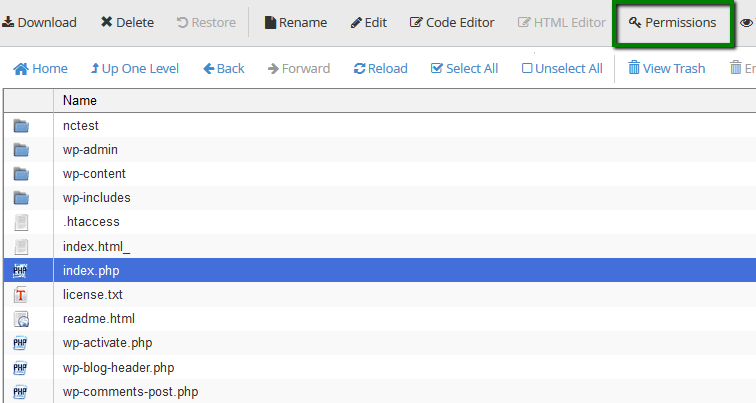
Or simply by clicking on the file permissions in the right-hand column:
Using SSH
chmod command is used to change the permission of a file. In order to change the permissions of all files and directories in the folder (public_html in our case), follow these steps:
1. Connect to your cPanel account via SSH. Feel free to use this guide for your reference.
2. Now you need to navigate to public_html using the following command:
cd /home/username/public_html
Make sure that you replace username with the actual cPanel username of yours:
3. Run one of the commands below for changing permissions to 0755 for the folders and 0644 for the files:
find -type f | xargs chmod 644 ; find -type d | xargs chmod 755 ; chmod 750 . -c
or
find ./ -type f -not -perm 644 -not -name ".ftpquota" -exec chmod 644 -c {} \;; find ./ -type d -not -perm 755 -not -group nobody -exec chmod 755 -c {} \;
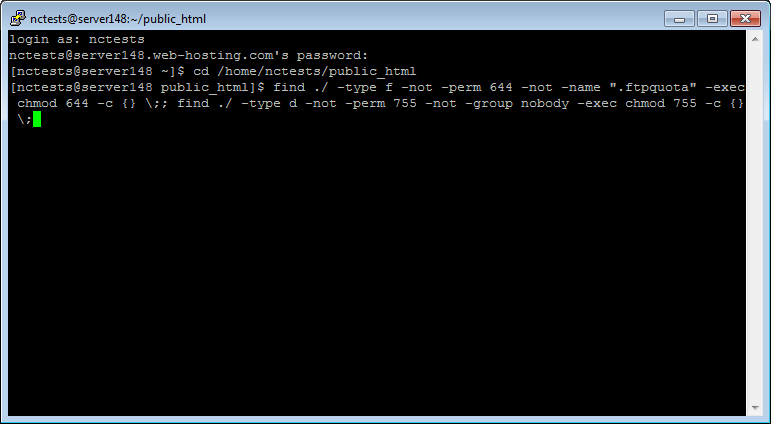
4. Once done, you will see the list of the files and folders which permissions were corrected: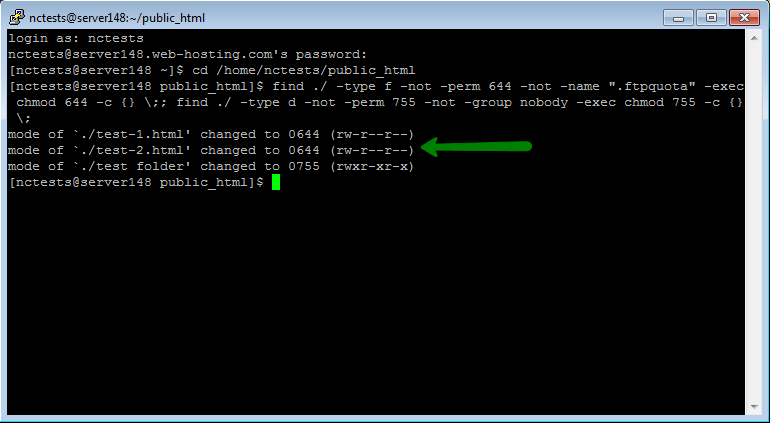
Using Cron Jobs
In order to change permissions for your files and folder using Cron Jobs tool in cPanel, follow these steps:
1. Log in to your cPanel account > Advanced section > Cron Jobs menu: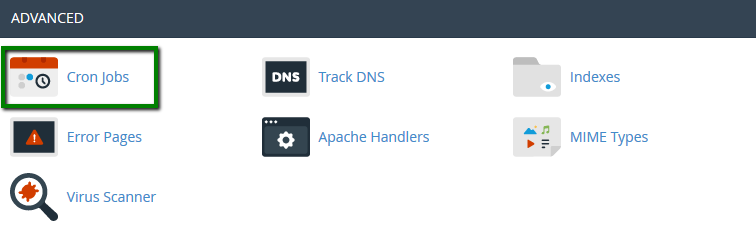
2. In Add New Cron Job section set Common Settings parament to Once Per Minute and add one of the following scripts to Command line:
cd /home/username/public_html && find -type f | xargs chmod 644 ; find -type d | xargs chmod 755 ; chmod 750 . -c
or
cd /home/username/public_html && find ./ -type f -not -perm 644 -not -name ".ftpquota" -exec chmod 644 -c {} \;; find ./ -type d -not -perm 755 -not -group nobody -exec chmod 755 -c {} \;
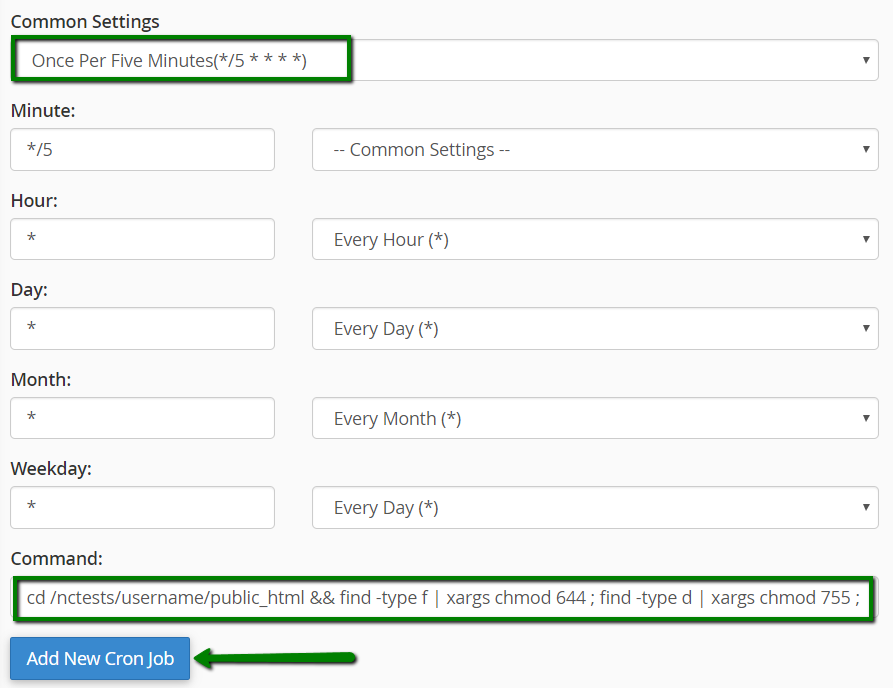
Hit Add New Cron Job button then.
3. Wait for a couple of minutes till the script makes the corresponding changes. After that remove it using Delete option:
NOTE: According to our Acceptable Use Policy, running cron scripts with intervals of less than 5 minutes is strictly prohibited for all shared plans. Make sure that you remove the script once permissions are updated.
That's it!


